
Tech selector
Property of : Guide dogs
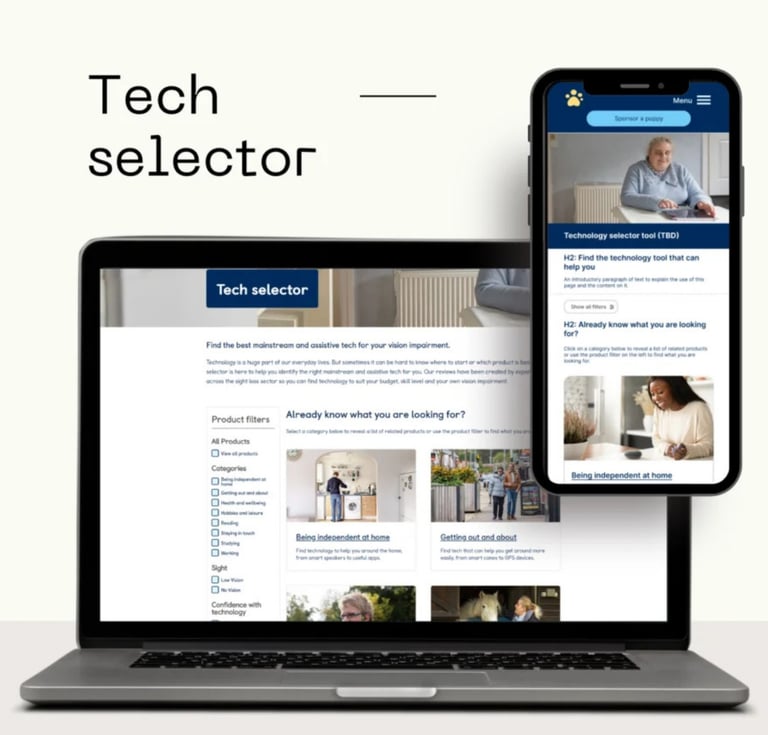
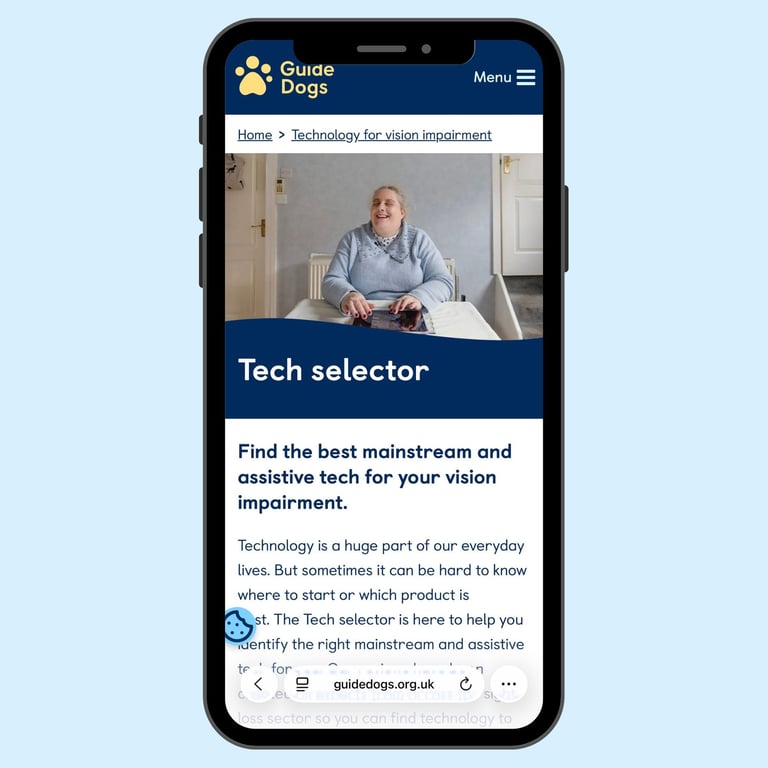
An accessibility-focused tool designed to help people with vision impairment discover and select assistive technology that empowers them to navigate, read, work, and live independently.
PROJECT SCOPE
Accessible Product Design & Development
ROLE
UX Research, UX/UI Design, Accessibility Design, Product Strategy
PROJECT DURATION
6 months
The Challenge
People with vision impairment face a fragmented and overwhelming landscape when searching for assistive technology. Without centralised, accessible guidance, they struggle to identify which solutions best meet their specific needs whether for navigation, reading, work, fitness, or daily living tasks.
The Goal
To create an fully accessible platform that empowers people with vision impairment to confidently discover and select assistive technology tailored to their unique needs, lifestyle, and level of vision loss. The tool should provide clear, personalised recommendations while being completely usable by the very audience it serves.
The design process
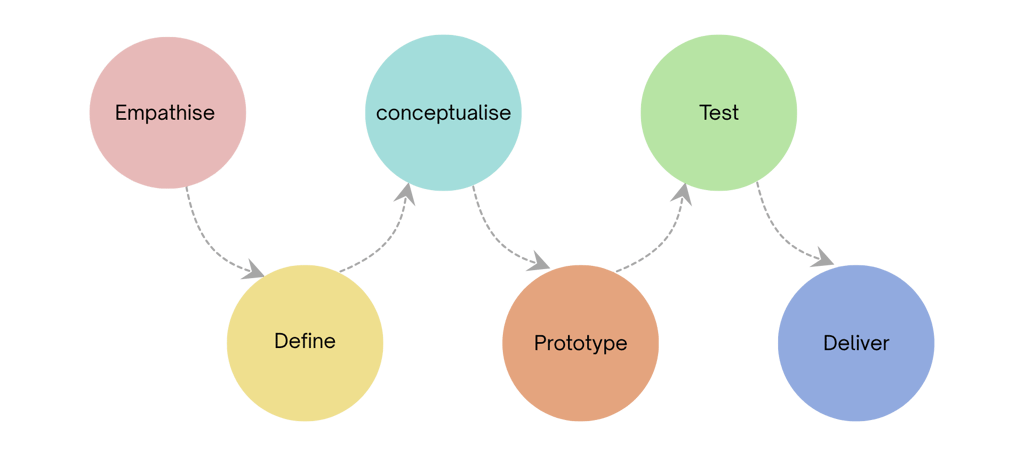
Research Objectives
Through interviews with vision-impaired users, subject matter experts from disability charities, habilitation specialists, and accessibility professionals, I aimed to understand the current assistive technology discovery process, identify barriers to access, and uncover what features would best serve this underserved community.
METHOD #1: EXPERT CONSULTATIONS
Conducted in-depth interviews with habilitation specialists, orientation and mobility instructors, and representatives from vision impairment charities to understand professional recommendations, common user challenges, and gaps in current resources.
METHOD #2: USER INTERVIEWS WITH VISION-IMPAIRED INDIVIDUALS
Engaged directly with people at various levels of vision loss to understand their daily challenges, current technology use, frustrations with existing discovery methods, and desired features in an assistive technology selection tool.
METHOD #3: ACCESSIBILITY AUDIT
Analyzed existing assistive technology resources and platforms to identify accessibility barriers and understand why current solutions fail to serve vision-impaired users effectively.
Research Findings
Users with vision impairment rely heavily on recommendations from specialists and word-of-mouth, as most online resources are not accessible or are too generic. They need personalized guidance based on their specific level of vision loss, daily activities, and existing assistive technology knowledge.
KEY INSIGHTS
ACCESSIBILITY WAS NON-NEGOTIABLE: The tool itself must be fully accessible with screen reader compatibility, high contrast modes, and keyboard navigation otherwise it cannot serve its intended audience.
PERSONALIZATION BY VISION LEVEL: Recommendations must account for whether someone has low vision or has complete vision loss, as different technologies serve different needs.
ACTIVITY-BASED DISCOVERY: Users think in terms of tasks they want to accomplish (reading mail, navigating outdoors, identifying products) rather than technology categories.
TRUSTED EXPERT GUIDANCE: Recommendations validated by habilitation specialists and real user experiences build confidence and reduce the risk of purchasing unsuitable technology.
COST TRANSPARENCY: Many assistive technologies are expensive, so users need clear pricing and information about funding options, insurance coverage, or free alternatives.
How do people with vision imparement choose assistive technology?
Based on the research feedback and charity landscape, it narrowed down to the following opportunities to consider
User Personas
Persona 1: Recently Diagnosed Individual
New to vision loss and assistive technology, seeking accessible tools to maintain independence in work, navigation, and daily activities. Needs educational content and beginner-friendly recommendations.
Persona 2: Experienced Assistive Technology User
Has existing assistive technology but looking to upgrade or find specialized solutions for specific activities like fitness tracking or professional work. Values detailed specifications and compatibility information.
Persona 3: Habilitation Specialist
Professional who recommends assistive technology to clients and needs a reliable, up-to-date resource to match individuals with appropriate solutions based on their assessment.
How might we
Create a fully accessible discovery experience that vision-impaired users can navigate independently?
Provide personalised recommendations based on level of vision loss, daily activities, and technical comfort?
Organize technology by the activities users want to accomplish rather than technical categories?
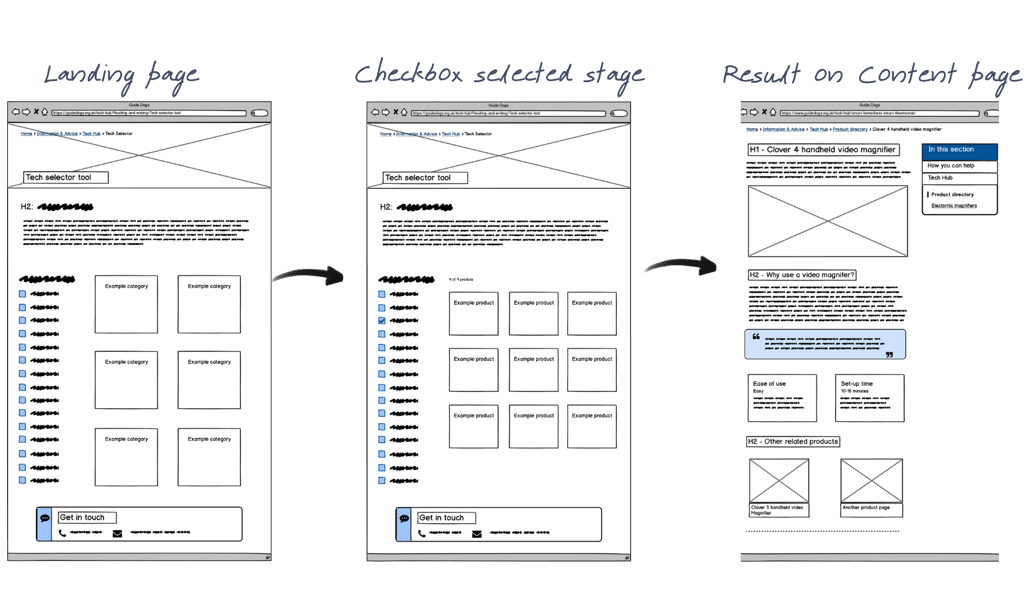
Lo fi- Wireframes:
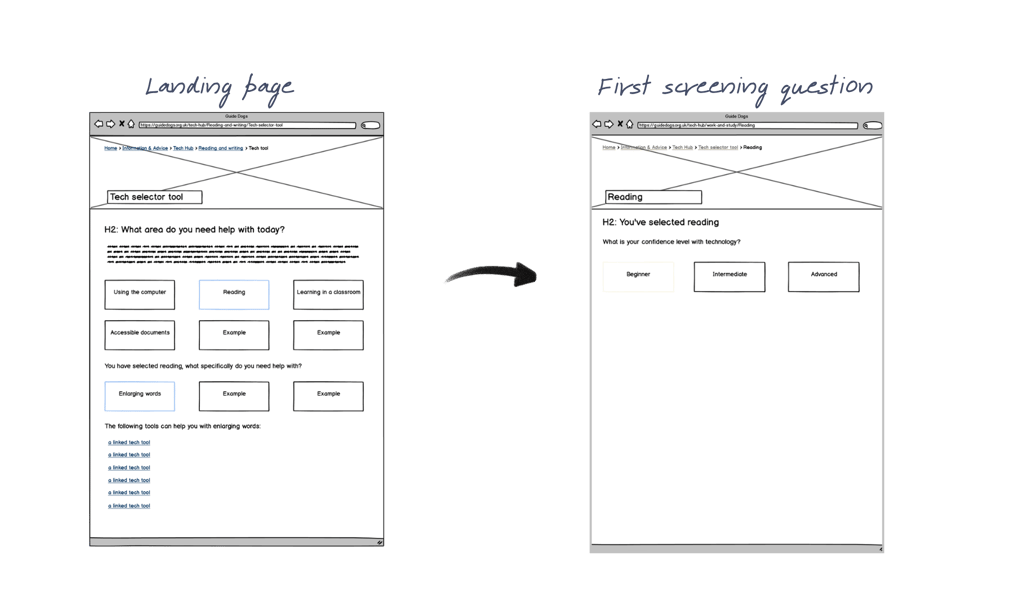
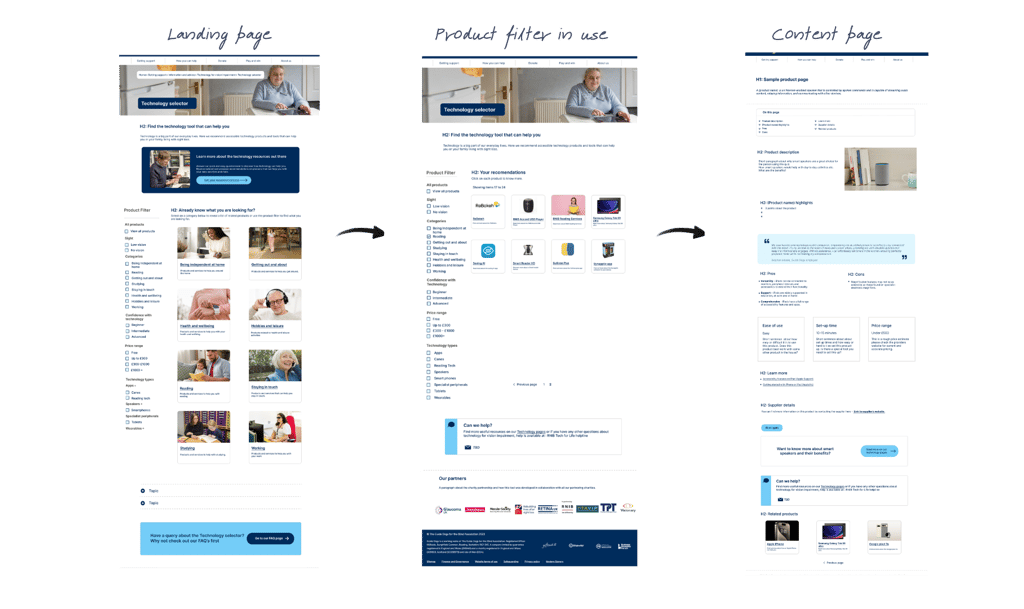
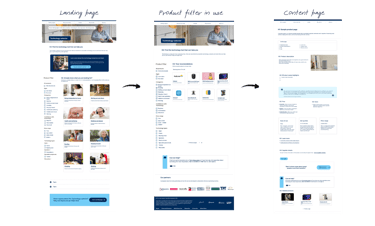
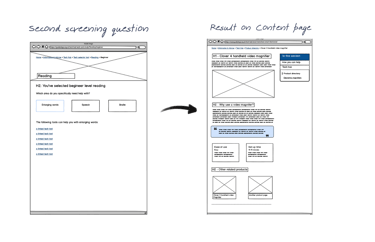
After all the research, to address user need I created a low fidelity journey to show our stakeholders what our journey could look like on the most basic level. We did some initial user testing on these to refine the concept further.
Refined Concept
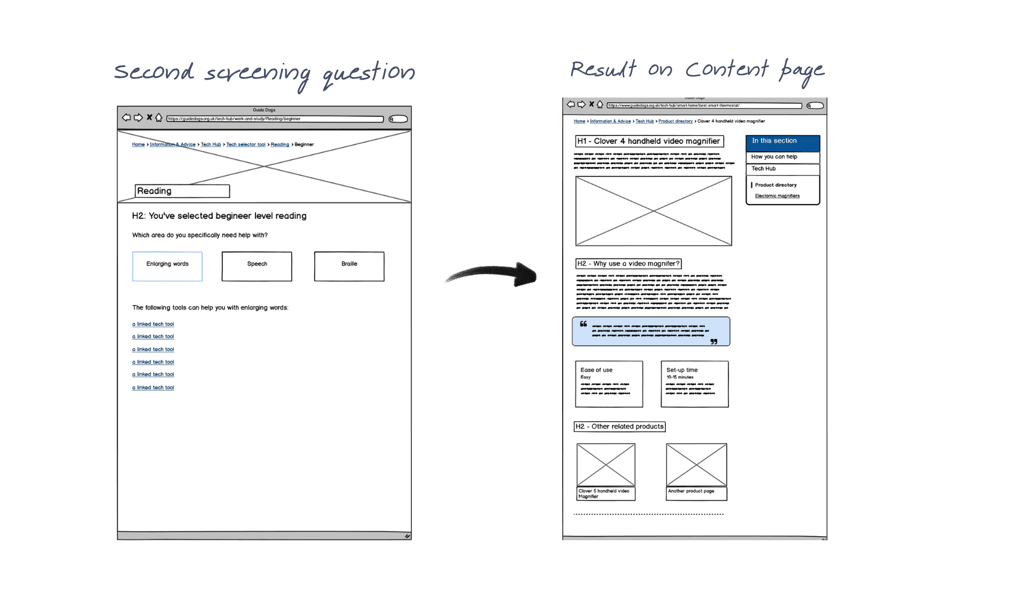
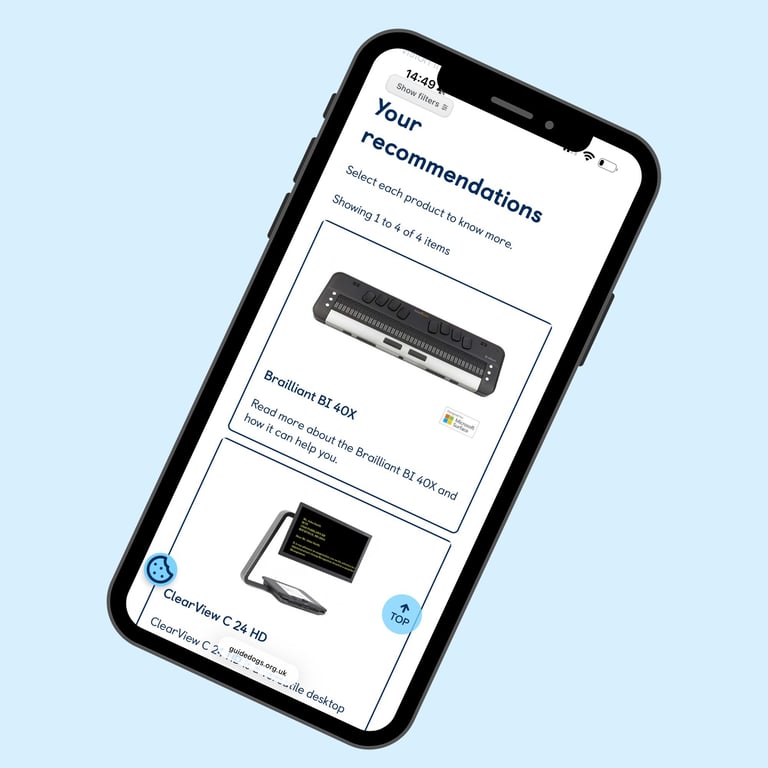
Considering the user journey and the feedback received, I designed wireframes that were positively accepted by stakeholders. This reduced the number of clicks in the original concept still maintaining the quiz style approach but with checkboxes. The aim was to develop a screen reader-optimized checkboxes that gathers information about vision level, daily challenges, technology experience, and cost. We organized technology recommendations around key life activities: Navigation & Mobility, Reading & Writing, Work & Study, Health & Fitness, Communication, and Daily Living Tasks.
Figma Prototypes:
Early stage Concept
Lo fi- Wireframes:
Usability Testing
USABILITY RESULTS
Testing with vision-impaired users and habilitation specialists revealed strong positive response to the accessibility features and activity-based approach. Users appreciated finally having a tool designed for them, not just about them.
TESTING OBJECTIVES
VALIDATE ACCESSIBILITY: Ensure vision-impaired users can navigate the tool independently using their preferred assistive technology.
CONFIRM RELEVANCE: Test whether recommendations accurately match user needs and level of vision loss.
ASSESS CLARITY: Verify that product information is understandable and helps users make confident decisions.
MEASURE TRUST: Gauge confidence in recommendations and likelihood to explore suggested technology.
Participants described the tool as empowering, accessible, relevant and life changing.
User Feedback Highlight
Contact
Let's chat about your next UX project.
colourmeinstyle20@gmail.com
© Pooja Parate 2026. All rights reserved.